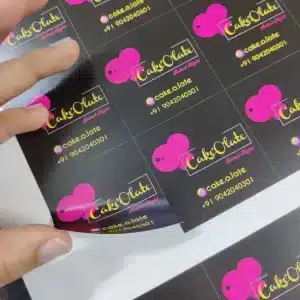
Turn your artwork into eye-catching, professional-grade Cut To Shape Decals that match your exact design. Printed on high-quality adhesive vinyl and precisely contour-cut, these decals are perfect for branding windows, packaging, laptops, vehicles, and more. Choose from glossy, matte, or clear finishes — all durable enough to handle both indoor and outdoor conditions.
Free Shipping
All orders include free shipping, with no minimum purchase required.
Secure Payment
Safe and secure online payments with multiple payment options.
Cut To Shape Decals – Custom Shapes That Stick With Your Brand
When you want your logo or design to stand out, precision matters. Our Cut To Shape Decals are made to fit your artwork exactly — no extra edges or background. From small product labels to large storefront graphics, these decals deliver a clean, professional finish that highlights your brand identity.
Printed using full-color CMYK on premium vinyl, each decal resists scratches, fading, and water damage. The strong adhesive ensures a smooth, bubble-free application to almost any surface — glass, metal, plastic, or wood. Ideal for small businesses, marketing campaigns, and personal projects.
You can also pair your decals with Custom Stickers or Vinyl Banners to create a consistent, branded look across all your products and packaging.
Key Features & Benefits
Custom Shapes – Die-cut around your artwork or logo for a perfect outline
Premium Vinyl – Weatherproof, scratch-resistant, and UV-protected
Full-Color Printing – Crisp, vibrant CMYK printing that brings designs to life
Multiple Finishes – Gloss, matte, or transparent options available
Strong Adhesive – Long-lasting stick with clean removal when needed
Easy Application – Peel, stick, and done — no tools required
Fast Turnaround – Production-ready in just 2–4 business days
Nationwide Shipping – Delivered anywhere in the U.S.
Product Specifications
Feature
Description
Material
Premium adhesive vinyl
Cut Style
Precision contour cut (die-cut)
Finish Options
Glossy, Matte, or Transparent
Print Method
Full-Color CMYK
Size Range
Custom sizes up to 12″ x 12″
Adhesion
Permanent, smooth surface application
Durability
Waterproof, UV-resistant, scratch-proof
Quantity
1,000 – 10,000+ units
Turnaround Time
2–4 Business Days
Shipping
Standard & Express available
Best Uses for Cut To Shape Decals
Custom-cut decals are one of the most versatile promotional products — great for visibility, marketing, and creativity.
Retail Displays – Perfect for storefront windows or sale promotions
Vehicles & Equipment – Add your company logo to cars, trucks, or tools
Packaging Labels – Brand your boxes, jars, and bottles with precision-cut designs
Tech & Accessories – Great for laptops, phones, and gadget branding
Creative Sellers & Artists – Sell original art or logo-based decals online
Pair them with Custom Labels, Flyers, or Posters for a complete promotional bundle.
Frequently Asked Questions
How does the design studio work? What do I have to do to get a custom shape?
Just upload your artwork in vector format (AI, PDF, or EPS) with clear outlines. Our design team checks and prepares the cut path to ensure perfect contour cutting.
What are Cut To Shape Decals made of?
They’re printed on high-quality adhesive vinyl that’s weatherproof, UV-resistant, and scratch-proof — ideal for both indoor and outdoor use.
Any tips for applying my stickers to a surface?
Yes — clean the surface thoroughly, peel off the backing, and apply slowly from one side to the other. Smooth out any bubbles using a soft cloth or card for the best results.
Step 1
Ensure that the file meets the required dimensions for the product. Create the artwork in CMYK color mode at 300 dpi resolution, with a 1/16 inch bleed on all sides to prevent unwanted white edges after trimming.
Step 2
Embed all images within the file, and convert all text to outlines to avoid font issues during printing.
Step 3
Export the final design as a PDF with bleeds to ensure accurate printing results.