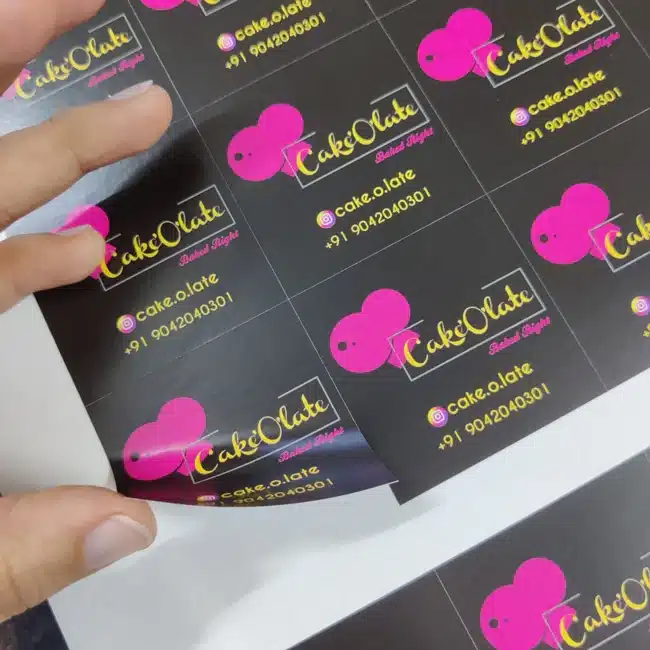
A Square Cut Label gives your packaging a clean, balanced, and professional look. Designed for businesses that care about presentation, these labels feature precise edges, vibrant printing, and durable materials that keep your brand looking sharp on every product. Perfect for jars, boxes, bottles, and promotional items — they make your packaging stand out instantly.
Free Shipping
All orders include free shipping, with no minimum purchase required.
Secure Payment
Safe and secure online payments with multiple payment options.
Square Cut Label – Clean Design, Strong Branding
If you want a simple yet polished look, Square Cut Labels are the way to go. The crisp, even corners make your packaging appear neat and consistent, giving your brand a professional edge. Whether you run a small business or manage retail packaging, these labels add the perfect finishing touch.
Clean, Professional Look – Square edges ensure precise and polished presentation
High-Quality Printing – Full-color CMYK printing brings your design to life
Versatile Use – Ideal for product packaging, promotional kits, or giveaways
Durable Materials – Choose from paper, polyester, or BOPP for long-lasting quality
Custom Sizing Options – Get the perfect fit for your jars, boxes, or bottles
Strong Adhesive – Sticks securely to smooth or textured surfaces
Fast Production – Ships within 2–3 business days
Product Specifications
Feature
Description
Material
Paper, Polyester, or BOPP Options
Printing
Full-Color CMYK (Digital or Offset)
Sizes Available
Custom Sizes Available
Shape
Square with Sharp, Even Cut
Adhesive
Long-Lasting Peel-and-Stick
Durability
Water, Oil, and Scratch Resistant
Turnaround Time
2–3 Business Days
Quantity Range
1 to 10,000+
Shipping
Standard & Express Options
Best Uses for Square Cut Labels
Custom Square Cut Labels are ideal for:
Product Branding – Adds a premium look to jars, boxes, and packaging
Retail & E-Commerce – Makes your products camera-ready for online listings
Corporate Promotions – Custom branding for giveaways or event items
Food & Beverage Packaging – Works great on dry or refrigerated packaging
Weddings & Parties – Personalized labels for gifts and decor
Frequently Asked Questions
How to make square labels in Word?
You can create square labels in Microsoft Word by setting equal height and width in the label layout section. Use “Mailings → Labels → Options” to define your custom dimensions.
What are the three types of labels?
The three main types are Paper Labels, Polyester Labels, and BOPP Labels. Each has unique benefits — paper for affordability, polyester for durability, and BOPP for moisture resistance.
What are the two most common labeling systems?
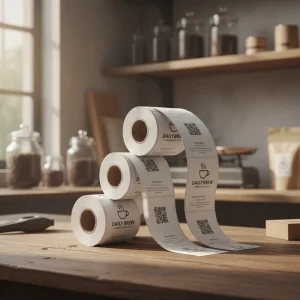
The most common are sheet labels (used for desktop printing) and roll labels (used for industrial or commercial label printers).
Do I need a special printer for labels?
Not necessarily. You can use most inkjet or laser printers for standard label sheets. For bulk or professional printing, commercial printers like the ones at eColorPrinting.com offer better quality and precision.
Where can I make my own labels?
You can design and order your custom Square Cut Labels directly from eColorPrinting.com. Choose your material, size, and finish — and get premium labels printed fast.
Step 1
Ensure that the file meets the required dimensions for the product. Create the artwork in CMYK color mode at 300 dpi resolution, with a 1/16 inch bleed on all sides to prevent unwanted white edges after trimming.
Step 2
Embed all images within the file, and convert all text to outlines to avoid font issues during printing.
Step 3
Export the final design as a PDF with bleeds to ensure accurate printing results.