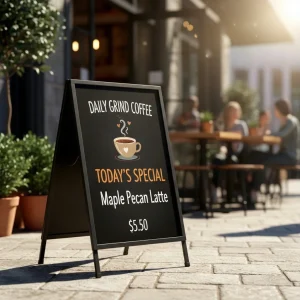
Make your brand stand tall at any event with professional X Frame Banners — a sleek, lightweight, and portable display solution that demands attention wherever you set it up. Perfect for trade shows, retail stores, conferences, and product launches, these banners are built to promote your message in style. Pair your X Frame Banners with Roll Up Banners or Retractable Banners for a cohesive, professional brand display that works both indoors and outdoors.
Free Shipping
All orders include free shipping, with no minimum purchase required.
Secure Payment
Safe and secure online payments with multiple payment options.
X Frame Banner – Portable, Affordable, and Easy to Set Up
Our X Frame Banners are designed for convenience and reusability. The sturdy X-shaped frame holds your printed graphic tightly in place, ensuring a wrinkle-free presentation every time. When it’s time to update your message, simply replace the banner — no new frame required.
The lightweight structure makes transport effortless, while the professional finish gives your display a premium look. Whether you’re promoting a new product, announcing an event, or enhancing your booth’s visibility, X Frame Banners offer a perfect mix of practicality and visual impact.
You can also combine them with Vinyl Banners or Foam Board Signs to create a complete branded setup for your next campaign.
Key Features & Benefits
Portable Design – Lightweight and easy to assemble or transport
Full-Color Printing – Vibrant CMYK print for high visual appeal
Durable Material – Premium 13oz vinyl or fabric banner material
Reusable Frame – Replace graphics anytime without buying a new stand
Indoor & Outdoor Use – Ideal for exhibitions, events, and storefronts
Custom Sizes Available – Fit your display space perfectly
Fast Turnaround – Printed and ready in 2–3 business days
Nationwide Shipping – Delivered across the U.S
Product Specifications
Feature
Description
Material
13oz Vinyl or Fabric Banner
Frame
Lightweight Aluminum or Fiberglass X Frame
Printing
Full-Color CMYK (Single-sided)
Sizes Available
24″x63″, 32″x71″, or Custom Dimensions
Display Type
Portable Freestanding Banner
Quantities
1 to 1,000+
Turnaround Time
2–3 Business Days
Shipping
Standard & Rush Options Available
Best Uses for X Frame Banners
Trade Shows & Exhibitions – Showcase your brand or product info
Retail Stores – Display promotions, sales, or featured items
Corporate Events – Use as directional signage or branded backdrops
Seminars & Conferences – Professional visuals that set the tone
Product Launches – Highlight your latest offering in style
Want a complete marketing setup? Pair your X Frame Banner with Table Covers and Business Cards to strengthen your event presentation and branding.
Frequently Asked Questions
What size is the X frame banner?
The most common sizes are 24″x63″ and 32″x71″, but we also offer custom dimensions to match your display requirements.
What are the pros and cons of X frame banners?
Pros: Portable, easy to assemble, reusable, and affordable. Cons: Best suited for indoor use — may require extra support in strong wind conditions.
Is it cheaper to DIY or buy a banner?
Buying a professionally printed X Frame Banner is usually more cost-effective than DIY. You get high-quality prints, durable materials, and professional finishes that last longer.
Why are banners so expensive?
Banner prices reflect the material quality, print resolution, and frame durability. At eColor Printing, we balance affordability with premium output, ensuring top value for your money.
How much does it cost to have a banner made?
Costs vary by size, quantity, and material. On average, a custom X Frame Banner starts around $40–$60, including high-quality printing and hardware.
Step 1
Ensure that the file meets the required dimensions for the product. Create the artwork in CMYK color mode at 300 dpi resolution, with a 1/16 inch bleed on all sides to prevent unwanted white edges after trimming.
Step 2
Embed all images within the file, and convert all text to outlines to avoid font issues during printing.
Step 3
Export the final design as a PDF with bleeds to ensure accurate printing results.