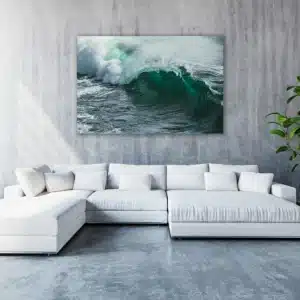
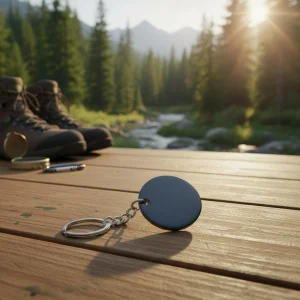
Showcase your best moments, artwork, or brand visuals with our premium Photo Panels. These modern, glossy panels bring images to life with ultra-sharp clarity and a professional finish. Whether it’s for your office, home, or retail space, Photo Panels make every picture look polished and vibrant.
Free Shipping
All orders include free shipping, with no minimum purchase required.
Secure Payment
Safe and secure online payments with multiple payment options.
Create Striking Displays with Premium Photo Panels
Printed using advanced dye-sublimation on durable aluminum or hardboard, each panel offers deep, fade-resistant color and a smooth, glossy surface that enhances every detail. The result? A gallery-quality display ready to hang straight from the box — no framing needed.
Planning a wall layout or a creative visual setup? Pair your Photo Panels with our Removable Wall Decals or Canvas Prints for a seamless, stylish combination that fits perfectly into any modern space.
Key Features & Benefits
High-Gloss Surface – Brilliant reflective finish for vibrant, high-definition imagery
Fade-Resistant Printing – Long-lasting colors using premium dye-sublimation technology
Durable Materials – Choose from aluminum or hardboard with clean finished edges
Ready to Display – Comes with built-in mounting hardware or easel backs
Multiple Size Options – Perfect for both small keepsakes and large wall panels
Edge-to-Edge Printing – Smooth, borderless look for a professional presentation
Scratch-Resistant Coating – Maintains a flawless finish over time
Fast Turnaround – Ships in as little as 3–5 business days
Product Specifications
Feature
Description
Material
ilumipix™ Aluminum / Hardboard
Printing Method
UV–Full-Color CMYK / Dye-Sublimation
Sizes Available
5×7″, 8×10″, 11×14″, Custom Sizes
Mounting Options
Tape, Easel Stand, Float Mount, Keyhole Slot
Surface Finish
Ultra Gloss
Durability
Scratch-Resistant, Fade-Resistant
Indoor Use
Recommended
Turnaround Time
3–5 Business Days
Minimum Order
1 Panel
Shipping
Standard & Rush Delivery Available
Best Uses for Photo Panels
Perfect for both personal and professional spaces, these panels give your visuals a sleek, high-impact look:
Corporate Offices – Display logos, photography, or brand visuals in reception areas
Studios & Agencies – Premium photo prints for clients and creative showcases
Interior Designers – Sleek, frameless visuals that fit modern décor
Retail Displays – Highlight products, seasonal collections, or brand imagery
Event Gifts – Personalized keepsakes for weddings, birthdays, or milestones
Art Exhibits – Museum-level clarity for professional displays
Frequently Asked Questions
How much does it cost to get 1,000 photos printed?
Pricing depends on size, finish, and material. For large quantities or bulk photo panel printing, we offer custom quotes — contact our team for the best rate per unit.
What is the best photo organizer?
For organizing your photos before uploading, apps like Google Photos, Adobe Lightroom, or Apple Photos work great. Make sure your images are high-resolution and labeled correctly for easy order processing.
What is a photo panel?
A photo panel is a rigid, high-gloss print mounted on aluminum or hardboard. It offers a modern alternative to traditional framing, ideal for professional displays or home décor.
What size are Walgreens wood panels?
While Walgreens typically offers 5×7″ or 8×10″ sizes, our Photo Panels come in a wider range — from small desk sizes to large wall displays — and can even be custom-cut to fit your needs.
How do I make my photos look like professional photos?
Use high-resolution images (300 DPI), good lighting, and balanced color. Avoid blurry or low-contrast shots. For best print results, upload your files in CMYK color format to preserve vibrancy.
Step 1
Ensure that the file meets the required dimensions for the product. Create the artwork in CMYK color mode at 300 dpi resolution, with a 1/16 inch bleed on all sides to prevent unwanted white edges after trimming.
Step 2
Embed all images within the file, and convert all text to outlines to avoid font issues during printing.
Step 3
Export the final design as a PDF with bleeds to ensure accurate printing results.